


Microsoft Solitaire Collection
3.929.07K Reviews
App Specs
- Version
- 4.26.8201.1
- Updated On
- License
- Free
- Downloads
- 10,000,000+
- Developer
- Microsoft Corporation
- Categories
- Card
- Platform
- Android, iOS
Screenshots

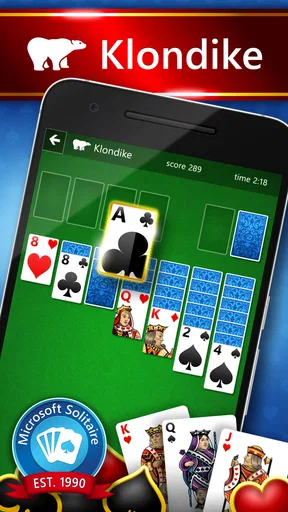
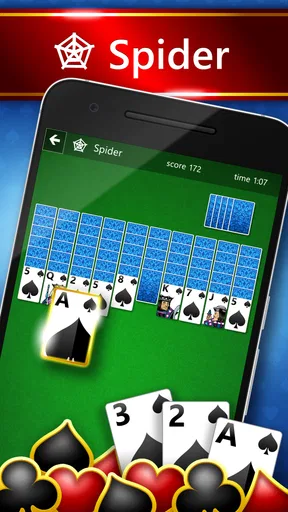

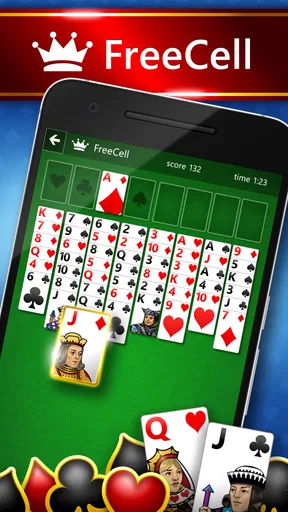
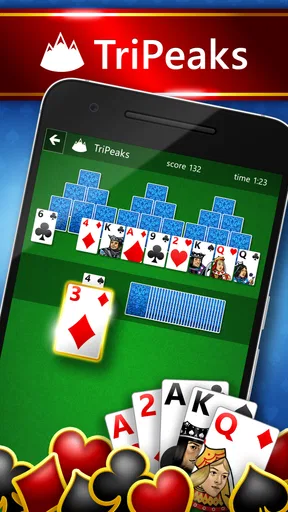

 Analysis by AppCompare
If you're anything like me, you've probably found yourself whiling away a few minutes—okay, hours—playing card games on your phone. Enter the Microsoft Solitaire Collection, a nostalgic blast from the past that now resides happily in our pockets, ready to entertain us whenever we need a quick break from reality. Let me walk you through why this app deserves a spot on your home screen.
Five Games, One App
The Microsoft Solitaire Collection isn't just one game—it's five classic card games bundled into one convenient app. You've got your basic Klondike, which is basically the solitaire we all grew up with. Then there’s Spider, where you can flex your strategic muscles. If you're in the mood for something a bit different, there's FreeCell, which is all about skill and a little less about luck.
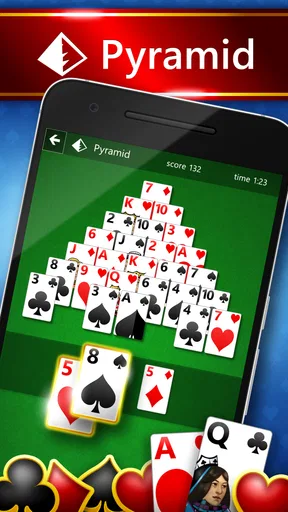
But wait, there’s more! Pyramid and TriPeaks round out the collection. Pyramid challenges you to pair two cards that add up to 13, while TriPeaks has you clearing cards in a sequence. With this variety, you're bound to find something that fits your mood. Plus, switching between games is seamless, keeping you engaged without missing a beat.
A Trip Down Memory Lane
We can't talk about the Microsoft Solitaire Collection without mentioning the nostalgia factor. Remember those days of playing solitaire on your Windows computer? This app has captured that essence, wrapping it up in a sleek, modern design. The graphics are crisp, and the animations are smooth, making for a visually pleasing experience. Plus, the classic sound effects are still there, providing a comforting background as you play.
For those who love a little competition, the app has a Daily Challenges feature. Each day, you're presented with new challenges across different games, offering a chance to earn badges and compete with friends. It’s a great way to keep things fresh and test your skills against yourself or others.
Usability and Features
One thing I genuinely appreciate about this app is its user-friendly interface. Whether you’re a newbie or a seasoned player, navigating through the games is intuitive. There are helpful hints if you get stuck, and you can customize your experience with different themes and card designs.
Another handy feature is the ability to play offline. Whether you're on a plane or just trying to save data, you can enjoy your favorite card games without needing an internet connection. And when you are online, you can sync your progress across devices, ensuring you never lose a game.
Worth Reading Before You Choose

Flipboard Shows What News Apps Must Do Beyond the Feed

Switching to Android Auto Means Rethinking Your Driving Routine

Google Calendar Makes a Crowded Week Easier to Manage

Ludo King Makes the Most of the Minutes Between Plans

Baby Panda World Brings Quick Play to Modern Phones, but Its Game Library Feels Busy

ESPN’s Live Game View Makes Following Close Games Easier
Why You Should Download It
So, why should you download the Microsoft Solitaire Collection? If you're a fan of card games, it's a no-brainer. The app brings together a variety of classics, each with its unique charm and challenge. It's perfect for those moments when you need to unwind or keep your mind sharp.
Plus, the app is free to download, with optional in-app purchases. You can enjoy the core games without spending a dime, making it accessible to everyone. And if you do decide to splurge on a premium subscription, you get an ad-free experience and some extra goodies.
All in all, the Microsoft Solitaire Collection is a delightful blend of nostalgia and modern convenience. It's a must-have for any card game enthusiast, offering endless hours of entertainment right at your fingertips. So go ahead, give it a download, and dive into the world of solitaire. You won’t regret it!
Pros
- Wide variety of classic solitaire games.
- Daily challenges keep gameplay fresh.
- Smooth and intuitive user interface.
- Cross-platform cloud saves available.
- Minimal ads enhance user experience.
Cons
- Requires internet for some features.
- May drain battery quickly on older devices.
- Occasional in-app purchase prompts.
- Limited customization options.
- No offline play for daily challenges.
FAQs for Microsoft Solitaire Collection
What features does the Microsoft Solitaire Collection offer?
The Microsoft Solitaire Collection includes five classic card games: Klondike, Spider, FreeCell, Pyramid, and TriPeaks. Each game offers unique challenges and varying levels of difficulty. Additionally, the app provides daily challenges, star club collections, and events to keep players engaged. It also syncs across devices, allowing you to continue your progress wherever you are.
Is the Microsoft Solitaire Collection free to download and play?
Yes, the Microsoft Solitaire Collection is free to download and play on both Android and iOS devices. However, it offers in-app purchases, such as premium subscriptions, which remove ads and provide additional features. Players can enjoy the basic games without any cost, but opting for premium can enhance the experience.
Does the app require an internet connection to play?
While an internet connection is necessary for downloading the app and accessing certain features like daily challenges and events, the core solitaire games can be played offline. This makes it convenient for users who want to enjoy the games without worrying about connectivity issues.
How does Microsoft Solitaire Collection handle user privacy?
Microsoft Solitaire Collection adheres to Microsoft's privacy standards, ensuring user data is protected. The app requires certain permissions to function correctly, but it does not collect personal information without consent. Users can review the privacy policy within the app to understand how their data is managed.
Can I sync my progress across multiple devices?
Yes, the Microsoft Solitaire Collection allows users to sync their progress across multiple devices. By signing in with a Microsoft account, players can save their game progress, achievements, and preferences. This feature is particularly useful for those who switch between different devices or platforms frequently.


